

Popular Science | What is KVM? A powerful tool for centrally controlling and efficiently managing multiple computers from a single workstation.
Release Date:
2025-09-22
Science Popularization | What is KVM? A powerful tool that lets you control everything from a single machine and efficiently manage multiple computers!
Empowering Efficient Operations and Maintenance: Hubei RuiNeng Electric Joins You in Exploring New Approaches to Intelligent Management
In your daily work and data center operations, have you ever been troubled by this situation: multiple computer hosts are right in front of you, yet they’re surrounded by a jumble of keyboards, monitors, and mice, resulting in a cluttered desktop and cumbersome, inefficient task switching?
In fact, only one is needed. KVM , all problems can be easily solved.
I. What is KVM?
KVM Yes K eyboard (keyboard), V ideo (display), M Abbreviation for “mouse.”
Its Chinese name is Multi-Computer Switch . As the name suggests, it is achieved by A group Easily control, switch, and manage the keyboard, monitor, and mouse. Multiple units Computer hardware.
Unlike traditional mechanical switches, KVM switches are electronic switches, representing a significant technological advancement.
II. Why is KVM Needed?
You might ask: shouldn’t every computer come equipped with a keyboard, mouse, and monitor?
The principle is sound. However, when you need to centrally manage multiple computers—especially servers—problems arise:
High cost : A large number of surplus keyboards, mice, and monitors must be purchased.
Space waste : Multiple sets of peripherals can consume a significant amount of valuable physical space, and having several CRT monitors on display is nothing short of a nightmare.
Inefficiency : Switching back and forth between different computers requires physical movement and constant attentional shifts, resulting in extremely low management efficiency.
And the birth of KVM was precisely to Cost and Space Savings , and Significantly enhance management effectiveness 。
III. How Does KVM Work?
The core function of KVM is Analog signal 。
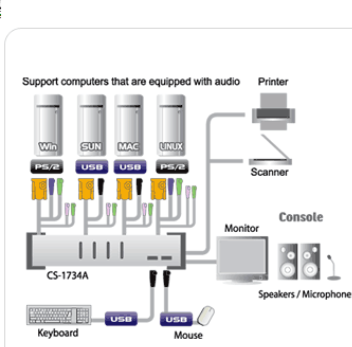
Upon system startup, it simulates keyboard and mouse signals to “trick” the computer into believing that peripherals are connected, thereby enabling seamless entry into the operating system. Additionally, when the user switches between sessions, it ensures that the normal operation of any host remains unaffected.
IV. Common Types and Products of KVM
With a wide range of port configurations and application scenarios, the KVM product line is highly versatile, meeting the needs of everything from individual users to large-scale data centers:
By number of ports : 2-port, 4-port, 8-port, 16-port, 32-port, etc.
Classified by connection method : Wired, desktop, and rack-mounted (1U/2U).
By function : Supports PS/2, supports USB, supports audio, and supports network-based remote management (KVM over IP), among others.
Common Product Examples :
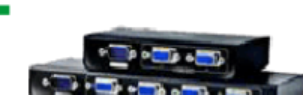
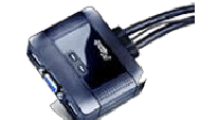
Cable-based multi-computer switch
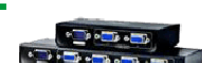
Desktop multi-computer switch
2-Port/4-Port USB Wired Switch (Audio Supported)
2-Port/4-Port PS/2 Desktop Switch
Video distributors and video splitters
V. How to Choose the Right KVM?
When selecting a KVM, the following key points should be given primary consideration:
Number of ports : Choose based on the current and potential future number of computers that need to be managed.
Signal Compatibility : Ensure that KVM can stably support your monitor’s resolution and is compatible with the keyboard and mouse brands you are using.
Platform Support : Whether it supports different operating system platforms such as Windows, Linux, and macOS.
Scalability : Through Cascading (series connection) Functionally, a single KVM switch can connect to multiple computers, and high-end models can even manage thousands of devices.
Management Functions : Whether it is necessary Hotkey Switch 、 On-Screen Display (OSD) 、 Remote Network Management Wait for advanced features.
VI. Applications and Development of KVM
KVM was originally the “secret weapon” of server rooms and data centers. Today, as it becomes increasingly common for individuals to own multiple computers, KVM has made its way into everyday households, emerging as a valuable productivity tool for streamlining desktop workflows.
Technology is also constantly evolving, with the emergence of integrated peripheral switching. KVMP , network-supported KVM over IP as well as Wireless KVM As new products emerge, their application scenarios are becoming increasingly diverse.
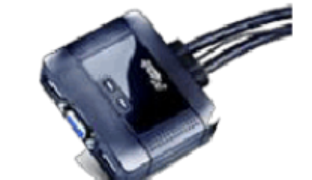
Hubei RuiNeng Electric , dedicated to providing efficient device connectivity and management solutions for enterprises and individuals. We have a deep understanding of the pain points in multi-device operations and maintenance, and KVM technology is precisely the solution to achieve Intensive and intelligent management a crucial link.
Whether you’re streamlining your office desktop or building a high-performance, reliable data center, choosing the right KVM is the first step toward intelligent management.
We hope this article has helped you gain a better understanding of KVM. If you have any questions, please feel free to contact us!
About Us Hubei RuiNeng Electric Co., Ltd. is dedicated to providing you with reliable electrical and intelligent solutions.
(WeChat official account QR code image)
Scan the code to follow us Get more technical insights and industry news
Related News
Exploring the Future Development and Applications of Busbar Trunking Systems
This article explains the importance of busbar trunking systems in modern power systems and their future development trends.
2026-04-10

Hello, how may we assist you?
*Note: Please ensure all information is accurate; we will contact you as soon as possible.
SAF Coolest v1.3.1.1 设置面板 JYOSD-ZUEU-XXZSE-SZV
无数据提示
Sorry, this section is currently being updated. Please stay tuned!
You can view other sections or return.Home